Document scanning
Capture documents for digital processing and text extraction.
e-ScanToWord
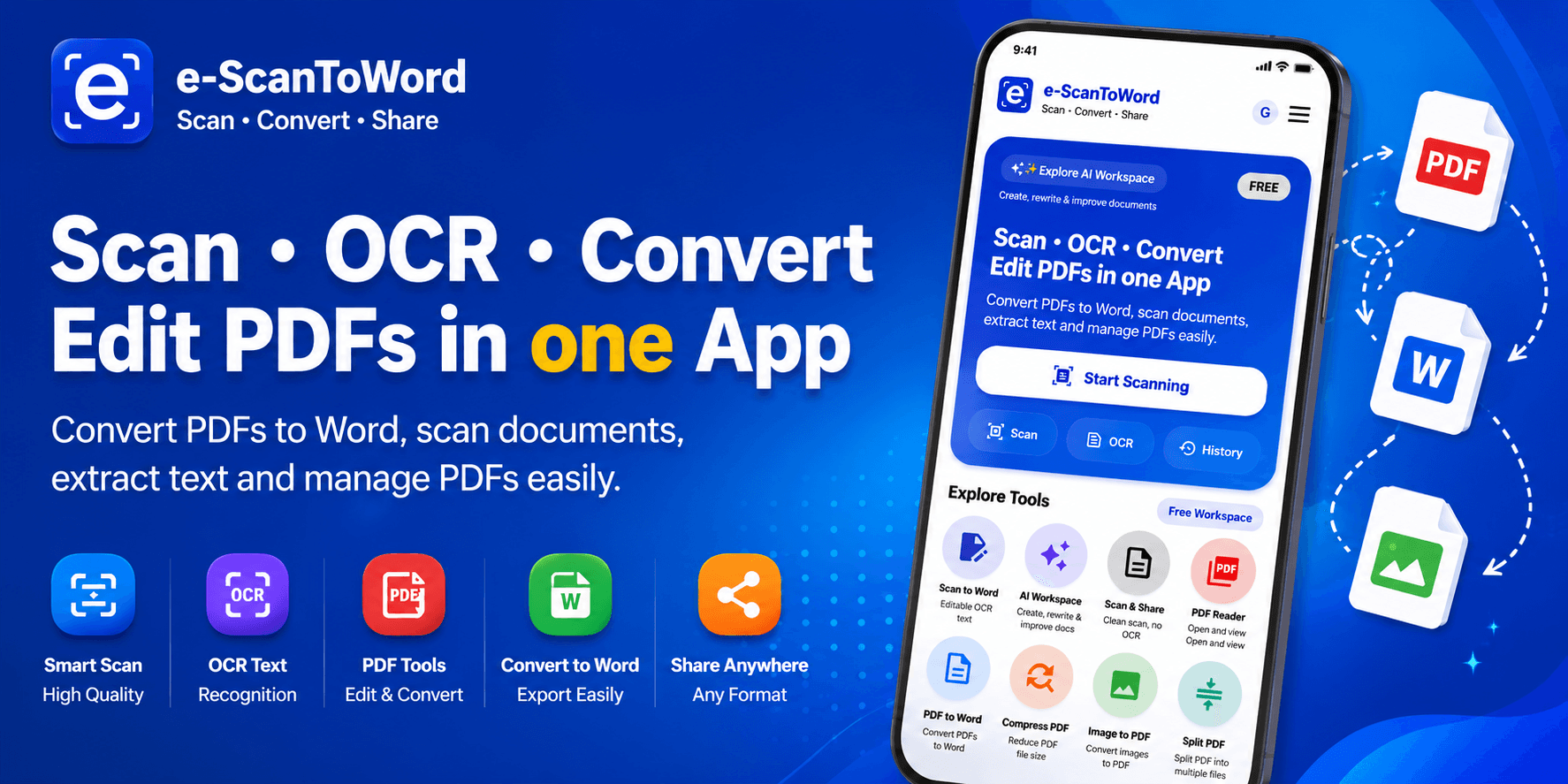
e-ScanToWord is an intelligent document scanning and OCR product that turns physical and digital documents into useful, editable text—reducing the work involved in manually retyping information.
Overview
e-ScanToWord is more than a camera scanner. It brings document scanning, image processing, OCR, text extraction, AI-assisted workflows and supported translation together so people can turn documents into usable text with less manual retyping.
AI-assisted document scanning, OCR, PDF processing and text extraction for everyday workflows.
How it works
A simple journey through the core actions that help people get value from the product.
Start with a document image or another supported document source.
Choose the document appearance or processing mode that suits the source material.
e-ScanToWord processes the document and extracts usable text.
Review, copy, use or translate extracted content through supported tools.
Key features
The e-ScanToWord experience is organized around practical tools that support its core purpose.
Capture documents for digital processing and text extraction.
Extract readable text from scanned documents and images.
Work with PDF documents as part of the document-processing experience.
Use intelligent document-processing capabilities for supported workflows.
Prepare scanned images for clearer document and OCR workflows.
Retain the original document appearance where that is appropriate.
Convert document images to grayscale when it is useful for the workflow.
Create high-contrast black-and-white document output.
Return to previously processed document activity where supported.
Use extracted text in downstream review, editing and copying workflows.
Translate supported extracted content between English and Swahili.
Who it is for
People turning notes, printed materials and study documents into editable text.
People extracting information from business documents and everyday paperwork.
Teams reducing repetitive document retyping and digitization work.
People converting printed source material into usable digital text.
Teams handling everyday scanning, archiving and text-extraction workflows.
People working with receipts, letters, forms, notes and other everyday documents.
Product roadmap
The roadmap communicates direction without promising release dates. Priorities may evolve as the product and its users develop.
Supporting document scanning, OCR text extraction, PDF workflows, scan history, English and Swahili translation, and document image processing.
Improving OCR quality, document workflows, processing reliability, productivity tools and the overall user experience.
Exploring deeper AI-assisted document workflows, broader intelligent capabilities, productivity integrations and OERENA ecosystem connections.
FAQ
A concise introduction to the product, its audience and its current direction.
e-ScanToWord is an AI-assisted document scanning and OCR product that helps turn physical and digital documents into usable, editable text.
Optical character recognition converts text visible in an image or scan into machine-readable text.
Yes. It is designed to process supported document images and extract readable text.
Yes. PDF documents are part of the supported document-processing experience.
No. Original Image Mode can retain the original appearance where appropriate, while extracted text supports additional workflows.
Supported options include retaining the original image, grayscale processing and high-contrast black-and-white output.
Supported translation currently focuses on English and Swahili.
Yes. e-ScanToWord is publicly available.
Related products
Explore complementary OERENA products selected from the shared product data.
Start a conversation
Talk to OERENA about your needs, potential partnerships or how this product fits into a wider digital journey.